
Data Management in Legale: filters, permissions and request tracking
Data Management is the Legale module that stores the records coming from your smart document forms. From there you can find each request, check its status and files, correct the information and export it to Excel for your reports.
What Data Management is
Until February 2026 the module was called Data Capture. It was renamed Data Management to better reflect what it does: it doesn’t just receive form data, it also helps you organize it, track it and share it with your team.
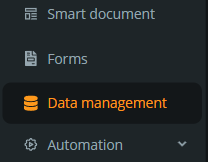
You’ll find it in the side menu, next to Smart document and Forms. Since December 2025 it opens only from that menu, separate from the Smart document module.
How to find a record with filters
The advanced filters section lets you combine several criteria to quickly reach a request or a group of documents:
- Source smart document.
- Start date and end date.
- Request status.
- Entity type and category.
- File name and description.
- Request compliance.
- Comment.
What the table shows
The records table brings together the date, status, entity type, category, file name, description, attached files, request compliance and comment, plus the data entered in the form, such as first name, last name, position, ID number (RUT), start date or base salary.
The first column is the date the form was submitted. The current date appears separately, in its own field, so the two aren’t confused.
Export results to Excel
With Download as Excel you download the results you have filtered at that moment. This makes it easy to build reports or analyze the information outside Legale without copying data by hand.
The Allow View All permission
By default, each person works with the records of their own processes. Since September 2026 there is a new user profile permission, Allow View All, which lets you:
- See all Data Management records, regardless of who created them.
- Edit that information with the same capabilities as the process owner.
It’s useful for people who supervise or report on several processes at once, such as a compliance or human resources team. Assign it only to the profiles that really need that visibility.
Per-account settings
Request statuses, entity types, categories, compliance options and SLAs (service level agreements) are configured for each Legale account. Since October 2026 each account has its own configuration, so a change in one doesn’t affect the others.
How Data Management has changed
- October 2025: the first column now shows the form submission date, and labels were clarified in the form, exports and API responses.
- December 2025: Data Capture opens only from the side panel.
- February 2026: the module is renamed Data Management.
- March 2026: advanced filters, more table columns and Excel export arrive. A fix also stopped the session from closing when signing in with single sign-on (SSO).
- September 2026: new Allow View All permission, and edited records are saved correctly.
- October 2026: configuration is separated per account and creating an SLA no longer fails.
Frequently asked questions
Are Data Capture and Data Management the same?
Yes. It’s the same module; it was renamed in February 2026.
Can I see records created by someone else?
Only if your profile has the Allow View All permission. Ask your administrator if you need it.
What is downloaded when I export to Excel?
The results you have filtered in the table at that moment.
To learn how the forms that feed this module are built, see AI in smart documents. Questions? Create a ticket from My Tickets or talk to our support team.