
AI in smart documents: draft and improve contracts in Legale
Legale smart documents include artificial intelligence to create and improve the text of your contracts without leaving the editor. You can ask for a draft with an instruction, for example “create a confidentiality agreement for a supplier”, and then summarize, simplify, translate or change the tone of any clause. The AI suggests; the review and the final decision remain yours.
What you can do with AI in smart documents
- Draft from an instruction: describe what you need and the AI proposes a draft contract, form, agreement or other document.
- Insert and edit: the generated text is added to the smart document template, and you adjust it like any other content.
- Improve existing text: with the AI shortcuts you can improve the wording, simplify, summarize, expand or shorten, change the tone or style, and translate.
- Reuse: a reviewed document becomes a template so your team always starts from the same base.
Draft a document from an instruction
- Describe the document you need in natural language.
- Generate the draft proposal.
- Review it: ask for changes or another version, or add details.
- Insert the text into the smart document.
- Customize clauses, content and formatting.
- Reuse the reviewed document as a template, for example for confidentiality agreements, service contracts or addenda.
Improve a clause with the AI shortcuts
To work on text that’s already in the contract:
- Select the part of the contract you want to edit.
- Choose an action: summarize, improve, simplify, expand or shorten, or translate.
- Review the proposal and adjust it before adding it to the contract.
Illustrative example. Original text: “The parties shall agree to coordinate a meeting for the purpose of reviewing the progress of the project.” AI proposal when simplifying: “The parties will meet to review the project’s progress.”
Tone and style
You can adapt the text to the reader and the document’s purpose with different tones (professional, casual, direct, confident or friendly) and styles (legal or business).
Translate within the contract
Translation works on the selected text, directly in the editor. Besides Spanish and English, it includes Portuguese, German, French, Japanese, Korean, Simplified Chinese and Arabic.
Legal review is still yours
AI helps you draft, but it doesn’t replace your legal team’s review. Review each proposal, make the adjustments you need and decide what goes into the contract.
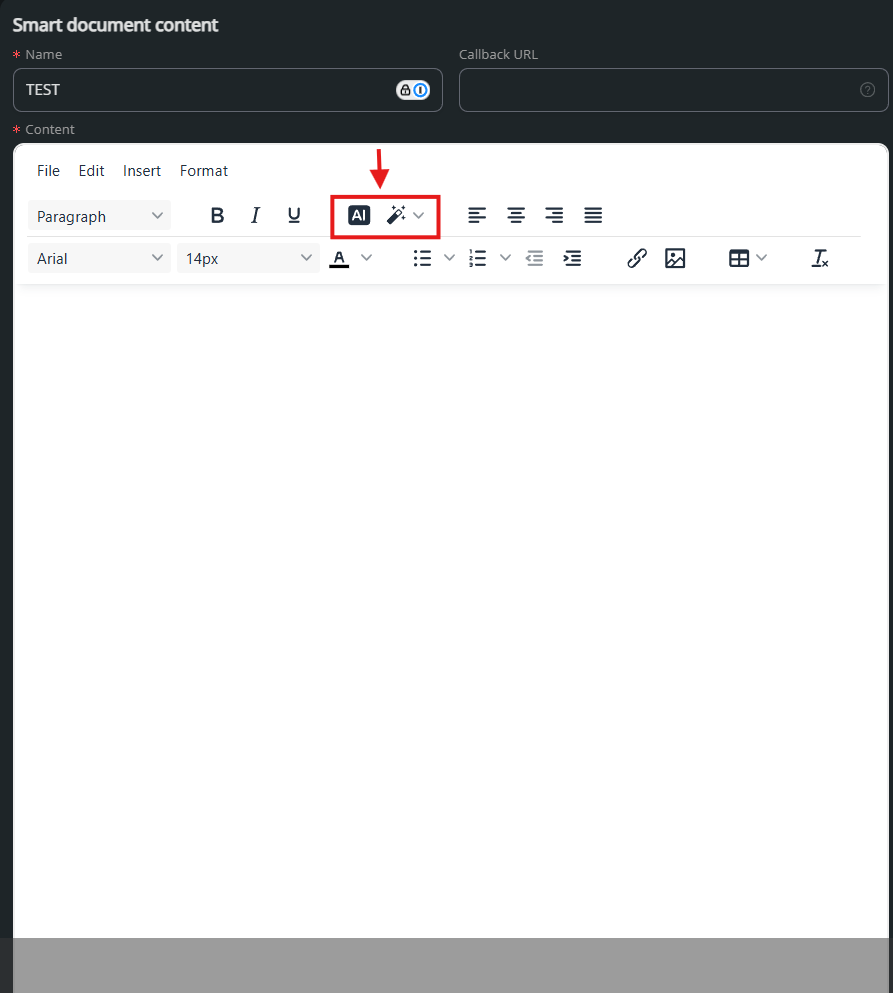
Where to find the AI tools
They are in the Legale contract editor, inside smart documents. The help center guides Smart Documents and AI-Powered contract editing show how they work. And if you have questions about using the platform, the AI Assistant answers from “Need help?”.
Frequently asked questions
What documents can I draft with AI?
Contracts, forms, agreements and other documents. You describe what you need and the AI proposes a draft that you then review.
Is the AI text added to the contract automatically?
No. The AI delivers a proposal and you decide whether to insert it, change it or ask for another version.
Can I translate a clause?
Yes. Select the text and choose translate. Several languages are available, including Spanish, English and Portuguese.
Does AI replace a lawyer’s review?
No. AI helps you draft faster, but legal review and the final decision stay with your team.
To see how AI changes contract management beyond drafting, read AI in contract management. And if you’d like to try it on your documents, contact us.