
What’s new in Legale: October 2026
In October 2026 we released a Legale update with one new feature and three fixes, all on October 16. The highlight is the redesign of My Tickets, where your users request support and follow up on their requests, which now accepts several attachments per ticket.
At a glance
- Redesigned My Tickets in the Portal Viewer, with built-in chat and up to 10 attachments per ticket.
- Data Management: each Legale account keeps its own configuration.
- Data Management: SLAs can be created and saved without errors.
- Contacts: bulk import accepts UTF-8 CSV files.
New feature: redesigned My Tickets with multiple attachments per ticket
We fully redesigned My Tickets in the Portal Viewer to make it easier to ask for help, find a request and see where it stands. Here is what changed:
- New ticket list with better navigation, search, filters and each ticket’s status at a glance.
- Ticket details with category, subcategory, status, user details, attachments and the conversation history.
- Built-in chat to talk directly with the person handling the request.
- New window to create tickets, centered on the screen.
- Multiple attachments: upload up to 10 files per ticket, select several at once, add more and remove the ones you don’t need before sending.
- Responsive design that works better on screens of different sizes.
Multiple attachments are also available when you create a ticket directly from the Legale platform.
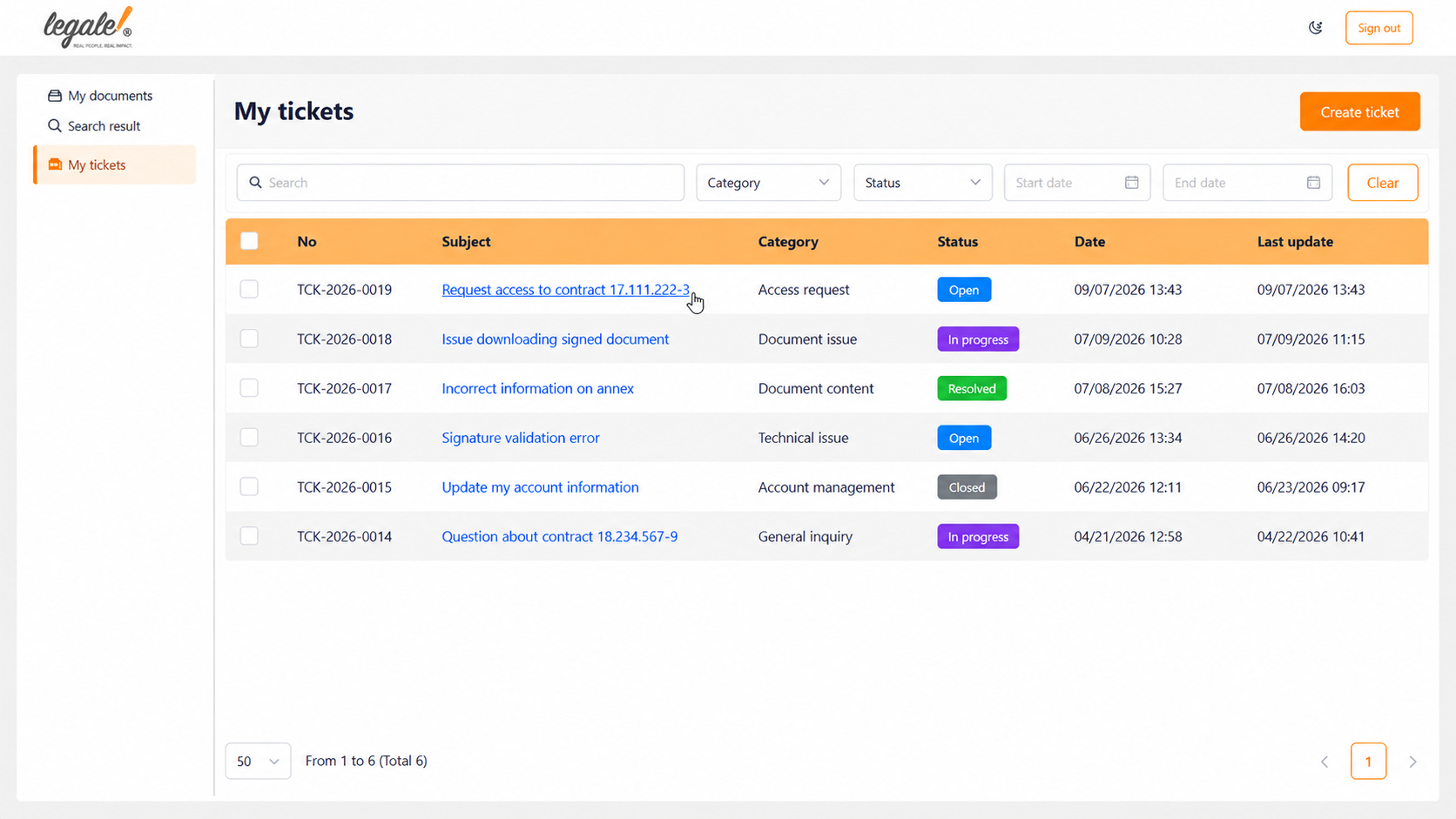
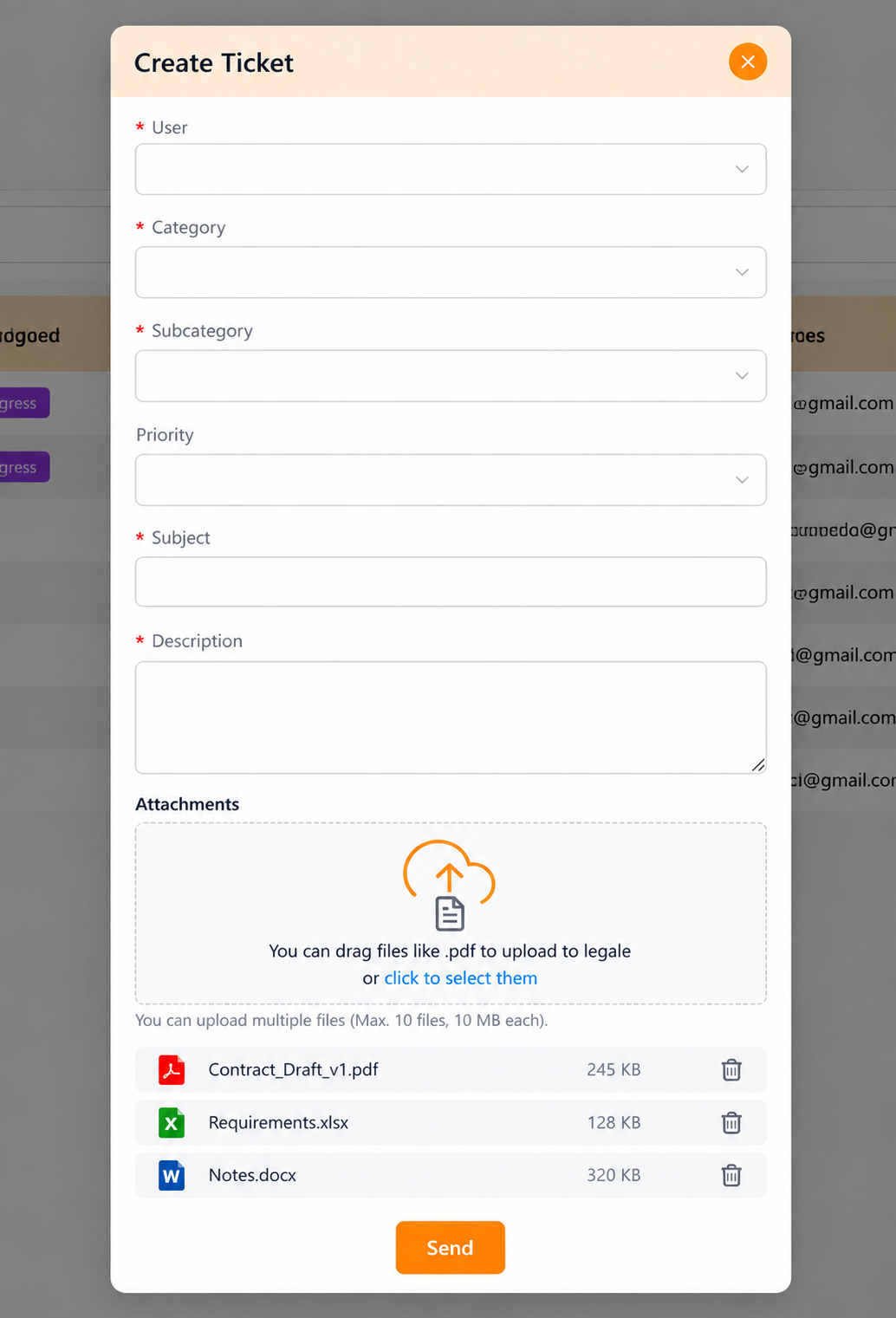
If you are new to My Tickets, the help center guides My Tickets and how to create a ticket in Legale (in Spanish) walk you through each step.
Fixes
Data Management: settings are no longer shared between accounts
Changes one account made in Data Management also showed up in other Legale accounts. This affected the request status, entity type, category and request compliance lists, including added, edited or deleted values. Each account now keeps its own configuration, so the changes you make don’t affect anyone else.
Data Management: SLAs are created without errors
Creating a service level agreement (SLA) in Data Management showed an internal server error, and the configuration couldn’t be saved. SLAs are now created and saved normally. To set them up, see the Service Level Agreement (SLA) guide (in Spanish).
Contacts: bulk import with UTF-8 CSV files
Bulk contact import didn’t load contacts from comma-separated UTF-8 CSV files, even though the file uploaded correctly. These files are now recognized and processed, and contacts are imported without issues.
Questions about these updates?
Create a ticket from My Tickets or talk to our support team. You can also browse earlier Legale updates.